



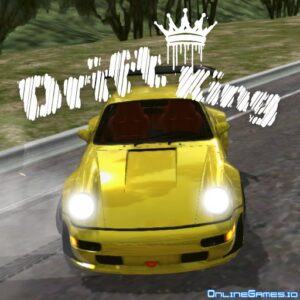





Drift Hunters Pro puts the focus on controlled slides, precise steering, and building a better car over time. This free 3D driving game gives players six tracks to explore, ten vehicles to unlock, and a detailed tuning system for refining performance. Solo driving is available alongside multiplayer rooms, giving players different ways to practice drifting and compete on the same tracks.
About Drift Hunters Pro
Drift Hunters Pro is a browser-based 3D drifting and racing game centered on maintaining controlled slides through corners. Instead of simply rewarding maximum speed, the game encourages players to manage throttle, steering, and braking carefully while building drift scores and earning in-game currency.
- Genre: 3D drifting and racing
- Objective: Maintain drifts, earn rewards, unlock vehicles, and improve performance
- Tracks: 6
- Vehicles: 10
- Game type: Free browser game
The game runs directly in a web browser, so there is no download, installation, or account requirement. It supports desktop computers and mobile devices, making it accessible for quick drifting sessions without additional setup.
Controls
- WASD or Arrow Keys — Steer
- Space — Handbrake
- C — Change camera
- R — Reset vehicle
- U — Switch between KMH and MPH
- I — Start or stop engine
- P — Toggle full screen
Cars, Garage, and Progression
The garage provides the main progression system in Drift Hunters Pro. Players earn currency through drifting and can use those rewards to unlock additional vehicles. There are ten vehicle types in total, giving players more options as they develop their driving style.
Vehicles can also be customized and improved after they are unlocked. This gives progression a practical purpose: earnings from successful drift runs can be put back into the car rather than serving only as a score on the screen.
Upgrades and Tuning
Performance improvements are divided into five categories: Engine, Turbo, Gearbox, Handling, and Weight. Each category affects the vehicle’s behavior, allowing players to strengthen different parts of a car as they earn more currency.
The tuning menu goes further by allowing adjustments to front and rear ride height, front and rear camber, turbo pressure, and brake balance and pressure. These settings give experienced players more control over how a vehicle enters and holds a drift.
How to Play Drift Hunters Pro
- Choose one of the six available tracks and select a layout that matches your current skill level.
- Pick an unlocked vehicle or begin with the default car.
- Use WASD or the arrow keys to accelerate and steer toward a corner.
- Press Space while turning to use the handbrake and initiate the drift.
- Balance steering and throttle to keep the car sliding without spinning out.
- Spend your earned currency on new cars, upgrades, and tuning adjustments.
- Join or create a multiplayer room when you want to drift alongside other players.
Tips and Strategies for Drift Hunters Pro
- Start with sweeping corners. Tracks such as the racetrack or highway provide more room to maintain a drift compared with tighter sections.
- Use controlled throttle input. Holding the accelerator constantly can make it harder to keep the car balanced through a long slide.
- Prioritize Handling and Turbo early. A predictable car with useful power can make it easier to connect one drift to the next.
- Experiment with tuning before chasing top scores. Camber and brake balance can change the way the vehicle responds during a corner.
- Reset after a failed run when necessary. Learning from repeated attempts is more useful than trying to salvage every spinout.
Why Players Enjoy Drift Hunters Pro
One notable feature is the relationship between driving skill and vehicle progression. Successful drifting earns currency that can improve the car, creating a natural reason to practice rather than treating each run as an isolated score attempt.
The tuning system also adds depth beyond basic arcade drifting. Players can adjust several physical characteristics and gradually develop a setup that feels more appropriate for their preferred driving style. This makes experimentation with different cars and configurations part of the overall progression.
Multiplayer rooms provide another way to approach the game, while the six available tracks prevent the practice environment from being limited to a single course. The combination of solo driving, customization, tuning, and multiplayer gives Drift Hunters Pro a broader play loop than a simple browser racing game.
Game Information
- Game: Drift Hunters Pro
- Genre: 3D drifting and racing
- Developer: Not specified in the source
- Vehicles: 10
- Tracks: 6
- Platforms: Desktop and mobile devices through a web browser
- Download: Not required
- Account: Not required
- Languages: Not specified in the source
Conclusion
Drift Hunters Pro combines browser-based racing with a progression system built around drifting performance. Drift Hunters Pro rewards smooth inputs, careful car setup, and practice on different tracks rather than relying purely on speed. With ten vehicles, detailed tuning, six tracks, and multiplayer rooms, it offers plenty of room to refine a personal drifting style.


Leave a Reply