
Introduction
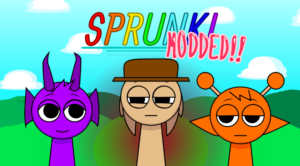
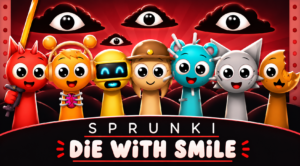
Sprunki Modded expands the traditional Sprunki music-mixing experience with several gameplay options that encourage experimentation. Beyond creating your own soundtracks, you can change playback speed, activate automatic music generation, and explore a darker horror-themed version of the game. Its flexible music tools and variety of modes make every session feel different, whether you’re composing beats or simply enjoying the sounds.
About the Game
Sprunki Modded is a browser-based music creation game that adds new mechanics and customizable features to the Sprunki universe. Designed for creative players, it offers multiple ways to interact with music without changing the simple drag-and-drop formula that made Sprunki popular.
The objective is to build unique musical compositions by combining sound icons and experimenting with the game’s available modes. Players can control how their music plays and discover entirely different audio experiences through mode selection.
From manually arranging sounds to automatically generating music, Sprunki Modded provides several ways to enjoy rhythm-based gameplay while encouraging creativity.
How to Play
Controls
- Use your mouse to drag sound icons onto the characters.
- Click available mode buttons to switch gameplay styles.
- Adjust the playback speed to customize your musical performance.
Basic Gameplay
- Assign sounds to characters to create layered compositions.
- Choose Normal Mode for traditional music mixing.
- Activate Auto Mode for automatic music generation.
- Try All Sounds Mode to hear every available sound at once.
- Enable Horror Mode to transform the game’s visuals and soundtrack.
Goal
- Create original music tracks.
- Experiment with different gameplay modes and sound combinations.
- Discover how playback speed affects your musical arrangements.
Features
- Multiple gameplay modes for different music experiences.
- Adjustable playback speed ranging from slower to faster tempos.
- Automatic music generation in Auto Mode.
- Horror Mode with eerie visual and audio effects.
- All Sounds Mode featuring every available sound simultaneously.
Tips
- Start in Normal Mode to familiarize yourself with the available sounds.
- Use slower playback speeds to fine-tune your compositions.
- Compare the same soundtrack at different tempos for unique results.
- Experiment with Horror Mode to create darker musical arrangements.
- Try All Sounds Mode to explore the game’s complete sound library.
Similar Games
- SprunkOSC – Sprunki x BFDI
- Sprunki Shocked
- Sprunki Phase 5
Conclusion
Sprunki Modded stands out by offering more control and variety than many traditional music-mixing mods. Its collection of gameplay modes, customizable tempo settings, and creative audio options make it a great choice for players who enjoy experimenting with interactive music experiences.



Leave a Reply