
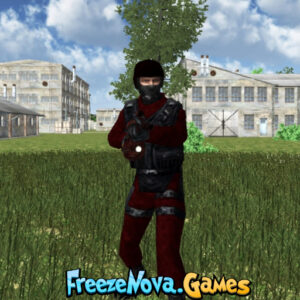

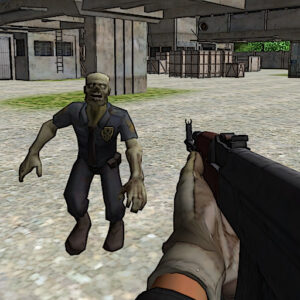
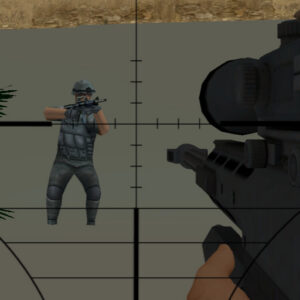

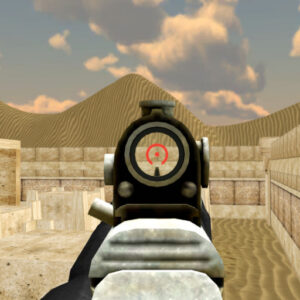





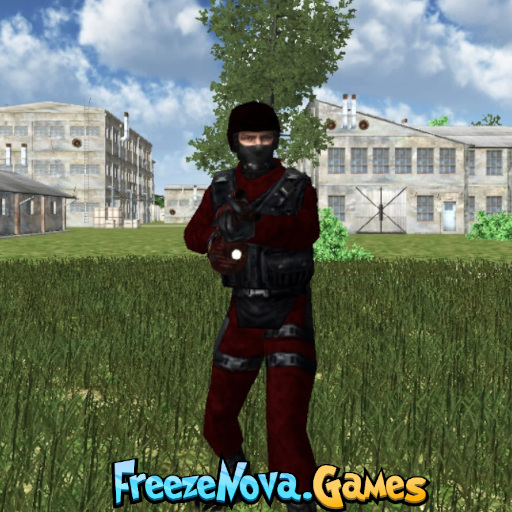
FPS Simulator puts players into large military arenas where positioning, movement, and weapon choice can quickly change the outcome of a fight. You can work with a team in Team Deathmatch or enter the battlefield alone in Deathmatch. With two military-themed maps, multiple weapons available from the start, and a customizable player count, the game gives each match a straightforward competitive setup.
About FPS Simulator
- Genre: First-person shooter
- Objective: Fight opposing soldiers and earn a strong score by eliminating enemies.
- Gameplay: Select a game mode, choose a map, set the maximum number of players, and enter the military battlefield.
Before entering a match, players can configure the basic battlefield setup. Choose the game mode and map, set the maximum number of players, then click the “Continue” button to begin. The player and score table appears before selecting “Join” to enter the battlefield.
Military Arenas
Military-1
Military-1 features an industrial setting surrounded by large water tanks. Players can climb the tanks using ladders, while factory buildings and chimneys fill the surrounding area. The layout includes plenty of structures and positions where opponents may hide.
Military-2
Military-2 takes place in a dedicated military environment with numerous buildings and rooftops. A watchtower is also part of the map, adding another elevated location to consider when searching for opponents.
Team Deathmatch or Deathmatch?
The two available modes offer different approaches to combat. Team Deathmatch divides players into opposing sides, making it the better choice for those who prefer fighting alongside teammates. Deathmatch removes the team structure and puts every soldier into direct competition against the others.
In Deathmatch, awareness becomes especially important because there is no friendly team surrounding you. Team Deathmatch, by comparison, gives players the opportunity to contribute to a shared battle and use the group structure to their advantage.
Weapons in FPS Simulator
FPS Simulator provides weapon switching through the number keys from 1 to 9. The source information states that weapons do not need to be unlocked, so players can choose from the available options without progressing through an unlock system. Quick access to different weapons makes switching equipment a useful part of combat.
Controls
- Fire: Left Mouse Button
- Aim: Right Mouse Button
- Move: WASD or Arrow Keys
- Reload: R
- Jump: Space
- Change weapons: Number keys 1-9
- Pause: ESC or Tab
Tips and Strategies for FPS Simulator
- Study the map: Learn the locations of buildings, rooftops, water tanks, and other important structures before moving too aggressively.
- Keep changing position: Remaining exposed in one location for too long can make you an easy target.
- Use buildings for cover: Structures can reduce the number of directions from which enemies can attack.
- Switch weapons efficiently: The 1-9 number keys make it possible to change weapons quickly when the situation changes.
- Pick the right mode: Choose Team Deathmatch for team-based combat or Deathmatch when you want to fight independently.
Why Players Enjoy FPS Simulator
One of the more useful aspects of FPS Simulator is the ability to configure a match before entering the arena. Selecting the mode, map, and maximum number of players gives the player more control over how the battlefield is set up. This also makes it easier to try different combinations instead of repeating exactly the same type of match.
The two maps also provide different visual and tactical environments. Military-1 emphasizes industrial structures and elevated water tanks, while Military-2 includes rooftops and a watchtower. Players will need to pay attention to these locations because the large arenas contain many places to hide and search for opponents.
Game Information
- Developer: Not specified in the source information.
- Platform: Browser-based game; no download required.
- Languages: Not specified in the source information.
- Game Modes: Team Deathmatch and Deathmatch.
- Maps: Military-1 and Military-2.
Conclusion
FPS Simulator focuses on straightforward first-person combat across two large military arenas. Team Deathmatch provides a cooperative battle structure, while Deathmatch turns every soldier into a potential threat. With freely available weapons, flexible match settings, and familiar FPS controls, FPS Simulator gives browser players a simple military shooting experience.






Leave a Reply