

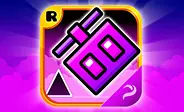


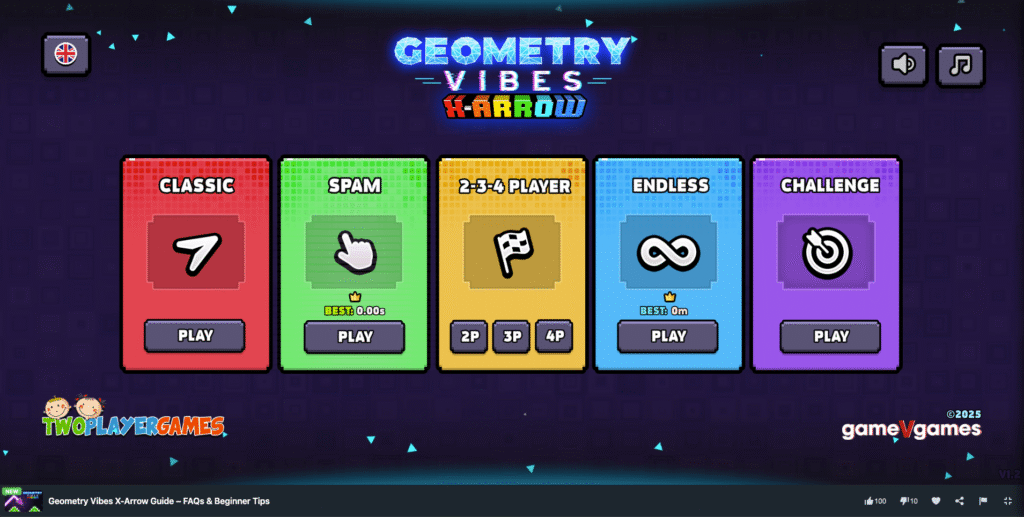
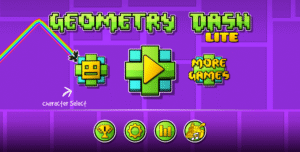
Welcome to the community FAQ for Geometry Vibes X-Arrow! If you are looking for a fast-paced, browser-based arcade game that tests your reflexes, you are in the exact right place. Guide a glowing arrow through neon obstacles with simple one-touch controls. Let’s answer your top questions to get you started on the grid. Let’s see the start screen of this game, it’s very attractive.
Frequently Asked Questions
What is the main goal of the game?
Your primary objective is to guide a glowing arrow through a neon obstacle course and safely reach the portal at the end. You have to dodge solid walls, sharp spikes, and dangerous TNT blocks along the way. Because a single crash sends you right back to the starting line, timing is everything. You can play through 10 handcrafted Classic levels, test your endurance in Endless Mode, or take on the expert-level Challenge Mode.
How do I control my arrow on different devices?
The game uses highly accessible one-touch controls, making it incredibly easy to pick up whether you are on a PC, tablet, or smartphone.
- Desktop / Laptop: Hold the left mouse button, the Spacebar, or the Up Arrow key to fly upward. Release the key to drop back down.
- Mobile / Touchscreen: Simply touch and hold anywhere on your screen to rise, and lift your finger to descend.
Why do I keep crashing right away? Are there tricks for beginners?
The wave-style flying mechanics definitely take a minute to get used to! If you find yourself constantly hitting the floor or the ceiling, try these community-approved tips:
- Use short taps: Do not hold the button down for long periods. Light, quick taps keep your arrow steady and give you much better control when navigating through tight corridors.
- Play Classic Mode first: Always start with the 10 Classic levels before touching Spam or Challenge mode. Classic mode is designed to teach you the basic rhythm and obstacle patterns.
- Give TNT a wide berth: In Challenge mode, treat every explosive block exactly like a solid wall. Plan your flight path well in advance so you don’t get trapped next to one.
Can I play this unblocked at school on a Chromebook?
Absolutely! Geometry Vibes X-Arrow is a lightweight HTML5 game optimized for excellent browser compatibility. It runs perfectly on Chromebooks, older laptops, and mobile devices without stuttering. Since there is nothing to download or install, it loads instantly right in your browser, making it a perfect quick-play option during a break.
How does the local multiplayer mode work?
The local Race Mode is a huge fan favorite for settling scores with friends. You can play with up to four people simultaneously on the exact same keyboard. Each player gets a dedicated key (like H, L, or the Up Arrow) to control their own glowing arrow. It gets chaotic fast, but it’s a brilliant way to enjoy some quick, competitive couch co-op without needing extra controllers or an online setup.
What is Spam Mode?
Spam Mode is a brand-new addition to this entry in the series. In this mode, the walls rapidly close in on you, forcing you to tap extremely fast to survive. The trick here is finding a steady, rapid rhythm—tapping too randomly will cause you to lose control and crash as the gaps get narrower.
Is this different from Geometry Vibes X-Ball?
Yes! X-Arrow is the fourth game in the Geometry Vibes series. While X-Ball swapped the main character for a bouncing ball, X-Arrow brings back the classic flying arrow. It also introduces Spam Mode and features a completely rebuilt store with much deeper customization options, allowing you to tweak your arrow’s shape, neon lighting, and colors.
Game Modes
You can choose from five game modes. Each one has a different goal and a different way of playing.
- Classic Mode: Start your adventure with 10 levels made by the game’s designers. The levels slowly get more difficult. This mode teaches you the basic rules of the game before it tests your timing with faster speeds and smaller spaces.
- Spam Mode: Fast tapping is the key here. The walls close in quickly, so you need to keep a steady rhythm to guide the arrow through small gaps for as long as you can.
- Multiplayer Mode: Play against up to three friends on the same keyboard in exciting local races. Each player uses different keys, so every match becomes a fast, exciting competition.
- Endless Mode: Keep flying for as long as possible while the game gets faster and new obstacles show up. Try to beat your longest distance by staying focused and reacting fast.
- Challenge Mode: Try five hard levels full of TNT and other dangerous obstacles. You need careful timing and precise movements to reach the end safely.
Each mode gives you a different kind of challenge. You can use them to practice your skills, play against friends, or try to get a new high score.
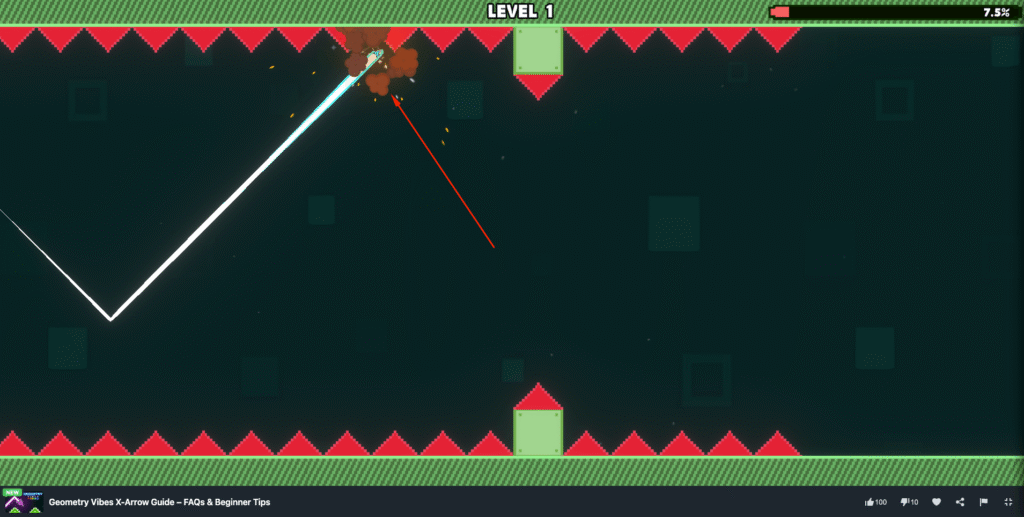
Some screenshots about play Geometry Vibes X-Arrow on MiniWebGames.com
How do I save my progress and unlock skins?
You collect coins naturally as you fly through the levels. You can spend these coins in the in-game store to unlock all the cool cosmetic upgrades. Because this is a browser game, your coin stash and level progress are saved locally in your browser’s cache. Just be careful not to clear your browser cookies, or you might lose your favorite custom skins!
Don’t let the tight gaps and instant restarts frustrate you too much. Take short breaks, learn the rhythm of the levels, and have fun customizing your arrow. Good luck out there, and enjoy the neon tracks! Comes and play this game on our site and get fun & relaxing.






Leave a Reply