
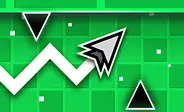



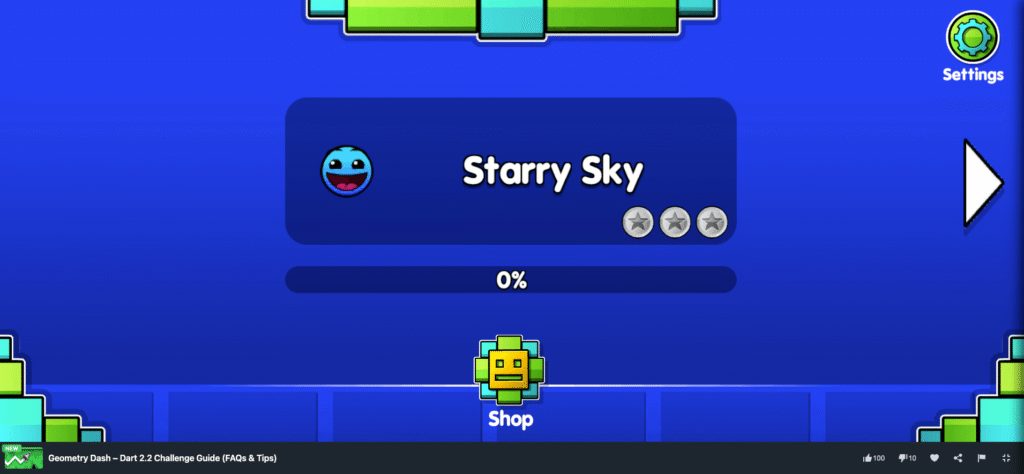
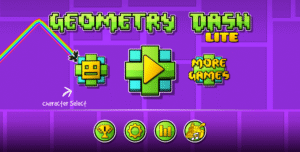
Welcome to the ultimate survival guide for Geometry Dash: Dart 2.2 Challenge! If you are currently hiding in the back of computer class looking for a solid browser game to pass the time, you found a great one. This is a highly addictive, wave-style flying arcade game that will seriously test your reflexes and probably make you rage-quit at least twice today. Let’s see start screen of this game below to see it on our website, you can see very attractive and can’t wait to play it 🙂
Frequently Asked Questions
What exactly is the main goal of the game?
It is a free, fan-made browser game focusing entirely on the famous wave flying mechanic. Your only job is to guide a fast-moving dart through 14 different levels packed full of spikes, solid walls, and extremely narrow tunnels. The levels range from incredibly easy all the way up to the infamous Extreme Demon difficulty. Because the level layouts are completely fixed and never change randomly, the main goal is simply surviving long enough to memorize the trap placements and reach the finish line.
How do I control the dart on a laptop or phone?
The controls take about two seconds to learn, but the physics take hours to master. Your dart constantly moves forward on its own, so you only have to worry about your vertical height.
- On PC, Mac, or Chromebook: Hold down the left mouse button to fly upward at a sharp 45-degree angle. Let go of the button to instantly dive downward at that exact same angle.
- On Mobile: Just tap and hold your finger anywhere on the screen to climb, and release it to dive.
Pro tip for my fellow IT-class gamers: If you are using a standard school Chromebook, trying to use the built-in trackpad for Extreme Demon levels is a total nightmare. Plug in a real USB mouse if you want precise control.
Why do I keep crashing immediately? Are there tricks for beginners?
The wave mechanic is notoriously tricky because there is no flat horizontal flying—you are always moving diagonally. If you keep hitting the ceiling or floor right out of the gate, try these survival tricks:
- Use tiny, rapid taps: In really narrow corridors, do not hold the mouse button down. Use lightning-fast, short clicks to create a shallow zigzag path that threads the needle perfectly through tight gaps.
- Memorize your switch-points: Since the maps never change, treat the game like a rhythm puzzle. Don’t try to manually steer; just memorize the exact moments you need to flip from a climb to a dive.
- Climb the ladder properly: Don’t skip straight to Extreme Demon just to show off. The Easy and Normal levels are literally designed to teach your hands the exact switch timings that the harder levels expect you to already know.
Is this the official Geometry Dash 2.2 update?
No, this is actually a really well-made, unofficial fan game. The “2.2” in the title is just a tribute to the massive, highly anticipated update released by RobTop Games for the official app. If you want the official stuff, you can check out Geometry Dash Lite elsewhere, but this browser version is a fantastic, completely free way to practice your raw wave skills without opening your phone.
How do I unlock all the custom dart skins?
There are 28 different dart skins you can unlock to customize your gameplay and flex your progress. Each skin costs exactly 100 diamonds. You can earn these diamonds naturally just by playing the game, completing levels, and unlocking built-in achievements. If you are a bit impatient and want that cool neon skin right away, you also have the option to earn a quick 100 diamonds by watching a short ad.
Can I play this unblocked at school on a Chromebook?
Definitely. Because it is a lightweight HTML5 arcade game, it runs directly in your browser without needing any sketchy downloads, installations, or extra plugins. It loads instantly and is highly optimized for standard web browsers, meaning it usually bypasses the heavy network filters that block large executable files. It is the absolute perfect distraction when you finish your homework early.
Screenshots game play Geometry Dash: Dart 2.2 Challenge on MiniWebGames.com
How To Play
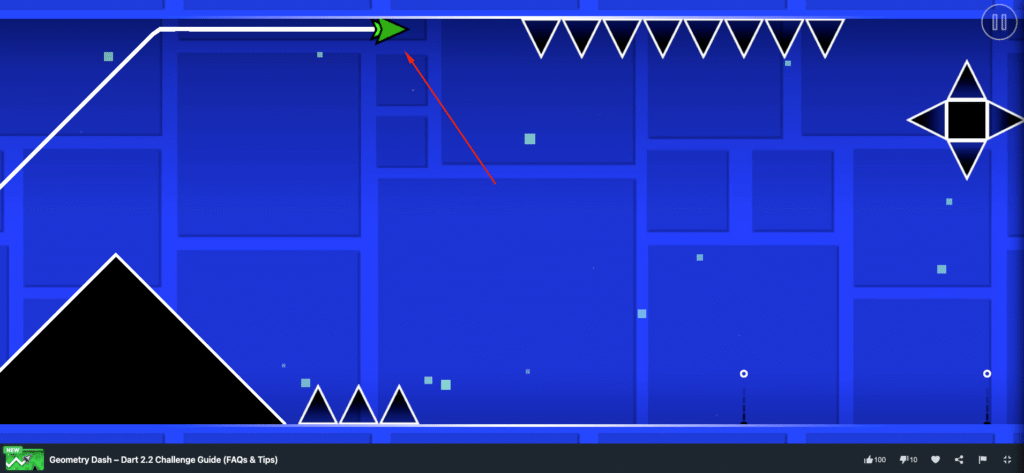
The dart moves forward automatically, and your job is to control its height. Hold the button to make the dart rise at a 45-degree angle, and release it to make the dart dive at the same angle. Since every movement follows a diagonal path, accurate timing is essential to avoid spikes, walls, and narrow corridors.
- Desktop: Hold the left mouse button to rise, and release it to dive.
- Mobile: Tap and hold the screen to rise, then release to dive.
The simple, one-button controls make the game easy to learn, but completing each level requires precise timing and accurate movement.
Now that you know exactly how the wave physics work, load up the first level and start building up that muscle memory. Once you beat a few stages, lean over and challenge the friend sitting next to you to see who can beat their high score first! Let’s try one of the hardest game on the world but very fun and relax.






Leave a Reply