







Listen up, recruit! You are dropping straight into a hostile, mob-controlled concrete jungle with zero backup. Mob City Unblocked is a ruthless, high-speed meat grinder where hesitation gets you buried. Lock and load, hijack a getaway vehicle, and start wiping out the criminal syndicate before they put a bounty on your head. Come our website and play this game to get the new fun and relaxing in your free time.
The Brutal Concrete Warzone
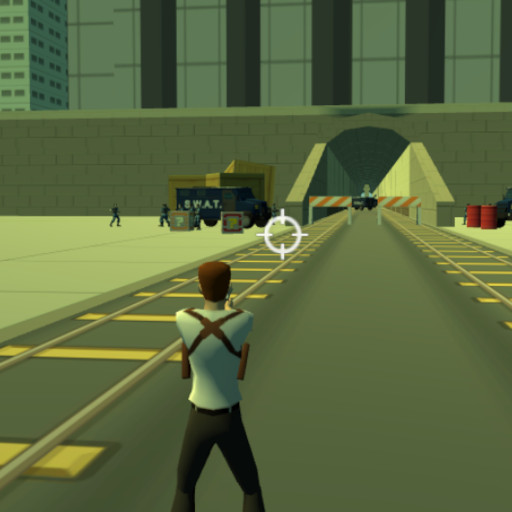
You are deploying into a heavily armed metropolitan battlefield completely overrun by organized crime. Surviving the first thirty seconds dictates whether you clear the contract or get sent home in a body bag. The streets are swarming with hostile syndicate enforcers who will actively hunt your position, flank your blind spots, and completely shred your health bar if you freeze up.
You cannot just spray bullets wildly and pray for a victory. Every brutal elimination drops cold hard cash that you absolutely must funnel directly into the black-market shop. If you try to push the late-game missions with your basic starter gear, the mob bosses will melt your armor instantly. You must aggressively snowball your economy to unlock military-grade firepower.
This is not just a walking simulator. The city is littered with abandoned vehicles waiting to be weaponized. When the crossfire gets too hot on foot, you steal a ride, smash through their defensive lines, and run down their reinforcements.
High-Speed Breach Mechanics
Standing still makes you an easy target for enemy snipers. Slam WASD to strafe aggressively through the crossfire and smash the Spacebar to vault over incoming bullets. When an enemy enforcer locks onto your exact position, violently click the Left Mouse Button to secure the clean execution.
When a massive mob squad traps you in a tight alleyway, never panic. Right-Click to chuck a high-yield fragmentation grenade right into their center mass and blow their push wide open. If your primary weapon runs dry right in the middle of a frantic slaughter, flick your Mouse Wheel to hot-swap to a fully loaded backup gun without missing a single beat.
When the horde completely overwhelms your position, hit Left Shift to activate Hammer Time. This completely slows the chaos, allowing you to systematically execute every threat in the room with absolute precision. Press E to violently hijack the nearest vehicle, transforming a simple car into a two-ton battering ram.
Sweat-Tier Syndicate Tactics
- Mastering movement and dodging under fire: (Né đạn và di chuyển khi bị bắn). Never backpedal in a predictable straight line when absorbing heavy syndicate fire. Strafe violently around hard concrete cover to completely break their line of sight. If the mob traps you, mash E to hijack a car instantly, reposition to a superior flanking angle, and flatten their frontline troops before they can even reload their weapons. Overwhelming aggression completely shatters static defenses.
- Weapon selection or aiming priority: (Ưu tiên ngắm bắn hoặc chọn vũ khí). Do not waste your heavy ordnance on a single, low-level street thug. Hot-swap to your basic firearms to eliminate the weak stragglers. Save your heavy grenades and your brutal Hammer Time ability strictly for massive mob waves. Aggressively funnel your mission cash into raw weapon upgrades between rounds so you can instantly melt their heavy enforcers before they deal critical damage.
Gameplay Details
The main gameplay loop revolves around completing missions and becoming better equipped for the challenges that follow. Eliminating enemies helps you progress, while the cash earned during the campaign can be spent at the shop on weapon improvements.
Weapon selection is handled quickly through the mouse wheel or Q and E keys, which is useful when the situation changes during a firefight. Grenades provide another way to handle threats, while the Hammer Time ability gives you an additional combat advantage when several enemies are causing trouble at once.
Why Players Enjoy Mob City
One notable aspect of Mob City is its mixture of familiar action-shooter mechanics with simple progression. Missions give players a clear reason to keep moving forward, while cash and weapon upgrades create a sense of improvement throughout the campaign.
The vehicle system also changes the pace of individual missions. Players can switch between running and driving depending on the situation, while grenades, weapon cycling, and Hammer Time provide additional combat options. These mechanics work together to keep the basic run-and-gun formula from feeling completely repetitive.
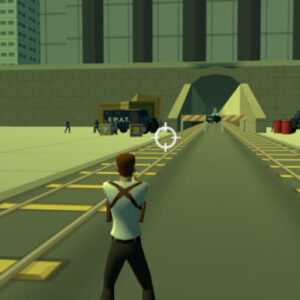
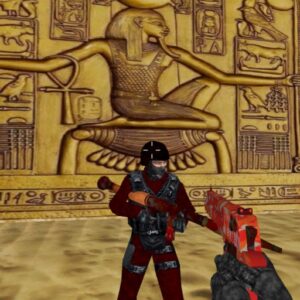
Screenshots Mob City game play on MiniWebGames.com
The mob bosses are fully armed, the streets are completely locked down, and your bounty is already active. Stop whining in the barracks. Load straight into the city, hijack your first ride, and prove your raw mechanical reflexes by securing your first brutal elimination in the next 60 seconds. Play this game, call your friend play together, bookmark on your browser and play again later in the future.









Leave a Reply