

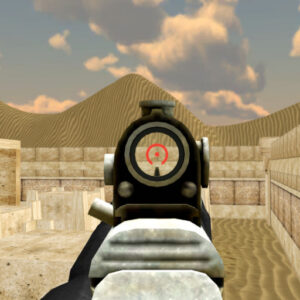

You drop straight into a hostile sector with zero backup and a lobby full of sweaty players gunning for your head. CS Online is a brutal tactical meat grinder that severely punishes hesitation. Lock in your heavy loadout, slice your blind corners, and start wiping enemy squads before they establish absolute map control. Come and play the most popular online game on our website with your friends and get fun & relaxing.
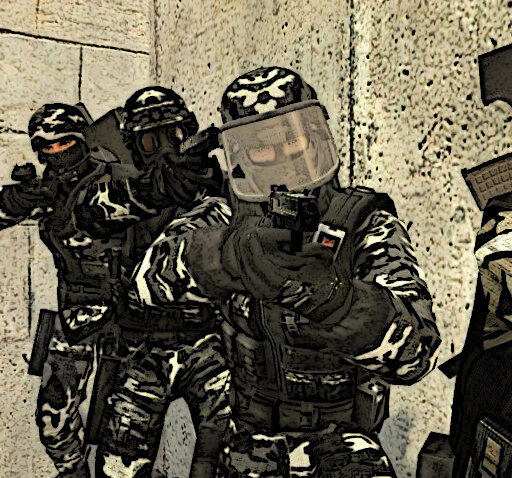
The Volatile Multiplayer Killzone
This is not a slow, predictable training simulation. You are deploying into 11 highly volatile tactical arenas, completely overrun by aggressive multiplayer squads. Surviving the first thirty seconds dictates the entire momentum of your match. Every single engagement requires flawless situational awareness. If you hear footsteps rushing your flank in the Sumerra temple, you have to pivot instantly and shut down the push before they breach your perimeter.
If you sprint blindly through the open center lane of Ship or FactoryX, a sniper holding a pixel-perfect angle will instantly remove you from the server. You must violently break their defensive lines, utilize flanking routes, and steal absolute map control. The lobby host controls the absolute chaos. Custom rooms let sweaty players restrict weapons to snipers or RPGs only, meaning standard holding angles will get you completely obliterated.
You have nine lethal firearms at your disposal. Grab the high-fire-rate MP5KA4 for brutal close-quarters room clearing or the Blaser R93 for cross-map executions. Your overall match economy depends completely on ruthless execution and rapid loadout adaptation.
High-Speed Evasion & Breach Mechanics
Standing still equals a quick trip back to the respawn screen. Slam WASD to strafe aggressively through the heavy crossfire, and hold Shift to sprint completely out of fatal ambushes. The exact moment a hostile entry fragger pushes your holding angle, hit C to drop into a crouch. This instantly shrinks your hitbox while stabilizing your crosshair for a lethal counter-attack.
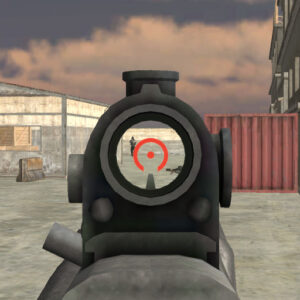
Right-Click to snap your heavy optics directly onto their skull, and smash Left-Click to secure the clean execution. When your primary magazine runs completely dry right in the middle of a frantic firefight, never panic and attempt a slow reload. Tap keys 1 through 9 to hot-swap to your Deagle instantly without missing a single beat.
Hit R to chamber a fresh magazine only when you are safely concealed behind hard concrete cover. Mash the Spacebar to bunny-hop over incoming RPG fire, making yourself an impossible target for enemy snipers to track. If your squad gets pinned down, press T to open the chat and coordinate a massive flank before hitting Enter to execute the order.
Sweat-Tier Entry Fragger Tactics
- What to do in the first 10 seconds of dropping in: (Làm gì trong 10 giây đầu tiên). Never hesitate or hold still in the spawn zone. Sprint aggressively toward the nearest high-traffic choke point, pre-fire the blind corners with your primary weapon, and secure a dominant elevated angle. Forcing the enemy team onto the defensive immediately shatters their map control and dictates the pace of the entire round.
- How to secure your first elimination quickly: (Làm sao để có mạng hạ gục đầu tiên thật nhanh). Isolate your targets and dictate the exact engagement range of every single gunfight. Do not challenge a fully shielded sniper across the map with a basic pistol. Hot-swap to your submachine gun, utilize tight flanking routes to slip past their line of sight, and shoot the distracted camper directly in the back. Overwhelming, calculated aggression will always beat a static defender.
Maps and Combat Areas
CS Online features eleven maps, and their layouts can noticeably change how players approach a firefight. Some environments offer more cover and barriers, while others create open confrontations where positioning becomes especially important.
Sanctum uses a stone temple setting, while Sumerra features Egyptian-inspired artwork. Tabourma provides another distinctive environment. For players who prefer more cover and tactical routes, Harbour, Ship, Barricade, and FactoryX offer settings with structures and obstacles to work around.
Arena stands out as a gladiator-style free-for-all environment, making it particularly suited to direct player-versus-player action.
Why Players Enjoy CS Online
The strongest feature of CS Online is the amount of control available before a match starts. Players are not locked into one fixed ruleset; room settings can alter the number of participants, combat format, map, and available weapons.
The variety of maps also adds replay value. Players will notice that an open arena demands a different approach from a map filled with barriers and potential hiding positions. Combined with the nine listed weapons, these differences give the browser shooter enough variety for repeated matches.
Screenshots CS Online Unblocked game play on MiniWebGames.com
The custom server is fully packed, the match timer is relentlessly counting down, and the enemy top fragger is currently locking down the center courtyard. Stop hiding in the main menu lobby. Do you genuinely have the raw mechanical reflexes and speed required to survive this absolute slaughter? Let’s play and becomes master of this game and bookmark to help us and you can play again in the next time.







Leave a Reply