
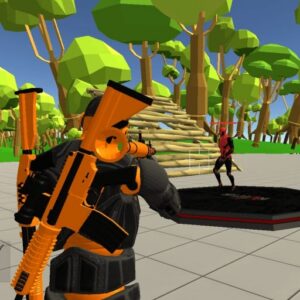



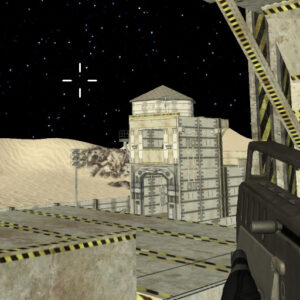
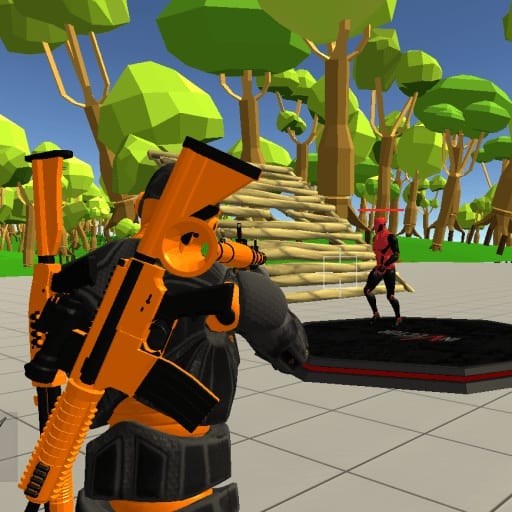
Fort Shooter Simulator combines two very different activities: constructing your own defensive structures and testing your shooting skills against AI opponents. Players can create forts from several building options, select weapons for different combat ranges, and use the sandbox environment as a place to practice. The open-ended setup gives each session a slightly different rhythm, from careful sniper play to close-range fights.
About the Game
- Genre: Sandbox shooting simulator
- Objective: Build structures, choose your equipment, and improve your shooting skills against AI opponents.
- Gameplay: Construct forts using three structure options, experiment with weapons, and practice both long-range and close-range combat.
Rather than forcing players through a fixed sequence of missions, Fort Shooter Simulator provides a flexible training environment. You can spend time designing a defensive position, work on accuracy with a sniper-style setup, or switch to a weapon suited for fighting at shorter distances. The building system gives the shooting practice an extra layer of interaction.
Controls
- WASD: Move
- Space: Jump
- Left Mouse Button: Shoot or spawn a fort part
- Right Mouse Button: Aim
- 1-4: Switch weapons
- 5-7: Select and build structures
- E: Cancel building or pick up a weapon
- L or Esc: Lock the cursor
Gameplay Details
The central mechanic is the ability to combine construction with target practice. Players have three structure options available through keys 5, 6, and 7, allowing them to create their own forts and experiment with different layouts. This makes the environment feel more personal than a standard shooting range.
Build Your Own Fort
Building is controlled separately from weapon selection, so players can switch between preparing a structure and returning to combat. The left mouse button is used to spawn a selected fort component, while E can cancel the building action. A useful approach is to think about how the structure affects your shooting position rather than building randomly.
Choose Your Combat Style
Fort Shooter Simulator supports different approaches to combat through its weapon selection. Players can practice as a sniper when they want to focus on longer-range accuracy, or choose equipment for closer encounters. Switching weapons with the 1-4 keys makes it easy to change your setup as your preferred fighting distance changes.
Practice Against AI Opponents
The AI opponents provide targets for testing aim and combat techniques. Since the game is designed as a simulator and sandbox, players can use the environment to work on fundamentals without needing a complicated progression system. Building a fort before engaging the AI can also create a useful position for practicing shots from cover.
Tips and Strategies for Fort Shooter Simulator
- Build with a purpose: Use the three structure options to create useful positions rather than placing pieces without a plan.
- Practice different ranges: Try sniper-style combat first, then switch to weapons suited for closer fights to improve overall accuracy.
- Use aiming carefully: Hold the right mouse button when you need a more controlled shooting position.
- Keep your weapons organized: The 1-4 keys let you move quickly between available weapons during practice.
- Experiment with the sandbox: Try different fort layouts and equipment combinations to find setups that suit your preferred play style.
Why Players Enjoy This Game
One notable feature of Fort Shooter Simulator is the freedom to combine construction and combat instead of treating them as separate systems. Players can create a small defensive setup and then use it as part of their shooting practice. That flexibility makes the game less rigid than a conventional target-shooting simulator.
The variety of weapons and accessories also encourages experimentation. Some players may prefer establishing distance and practicing precise sniper shots, while others may enjoy moving closer and testing different weapons. With multiple crafting options and a world that can be shaped through building, there is room to approach the sandbox in several ways.
Game Information
- Game: Fort Shooter Simulator
- Genre: Sandbox shooting simulator
- Building Options: 3 structure types
- Weapons: Multiple weapons and accessories
- Opponents: AI opponents
- Platform: Browser
- Developer: Not specified in the provided game information
- Languages: Not specified in the provided game information
Conclusion
Fort Shooter Simulator gives players a flexible space to combine fort construction with shooting practice. Its three building options, multiple weapons, AI opponents, and support for both sniper and close-range play make the sandbox easy to approach in different ways. Fort Shooter Simulator works particularly well for players who enjoy experimenting with their own combat setups.





Leave a Reply